← What's NewMay 2026
Customize Your Room
Your virtual desk should feel like yours. Place furniture, electronics, plants, and decor — then move, rotate, or remove anything at any time.
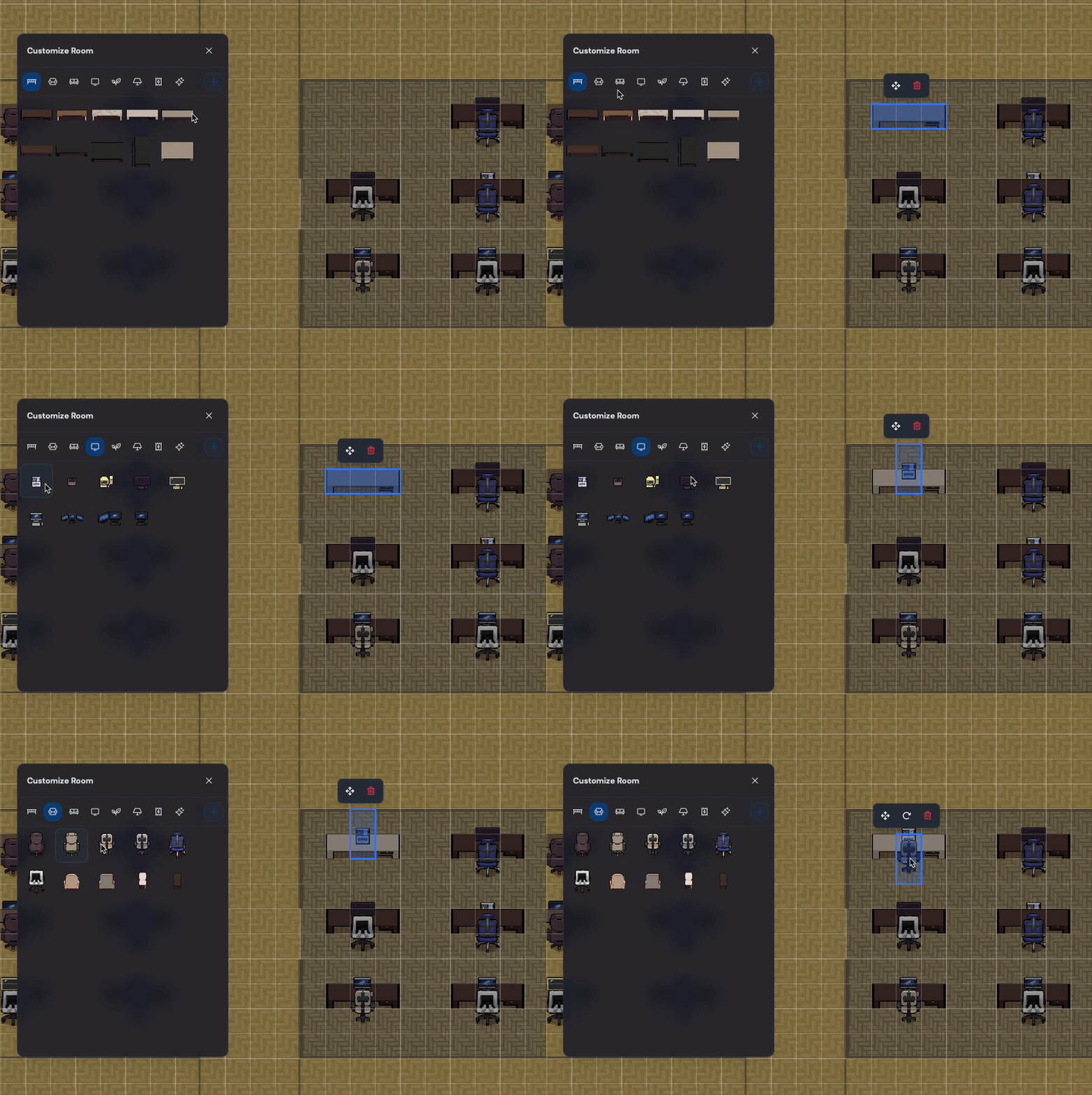
Adding a desk, monitor, and chair to the virtual space.
Available categories
Open the panel from the bottom navigation bar and browse by category:
- Chairs — office chairs, lounge seating
- Desks — standing desks, workstations
- Furniture — sofas, shelves, cabinets
- Electronics — monitors, TVs, whiteboards
- Plants — indoor plants, trees
- Lighting — lamps, overhead lights
- Carpets — area rugs, floor mats
- Decor — art, signs, accessories
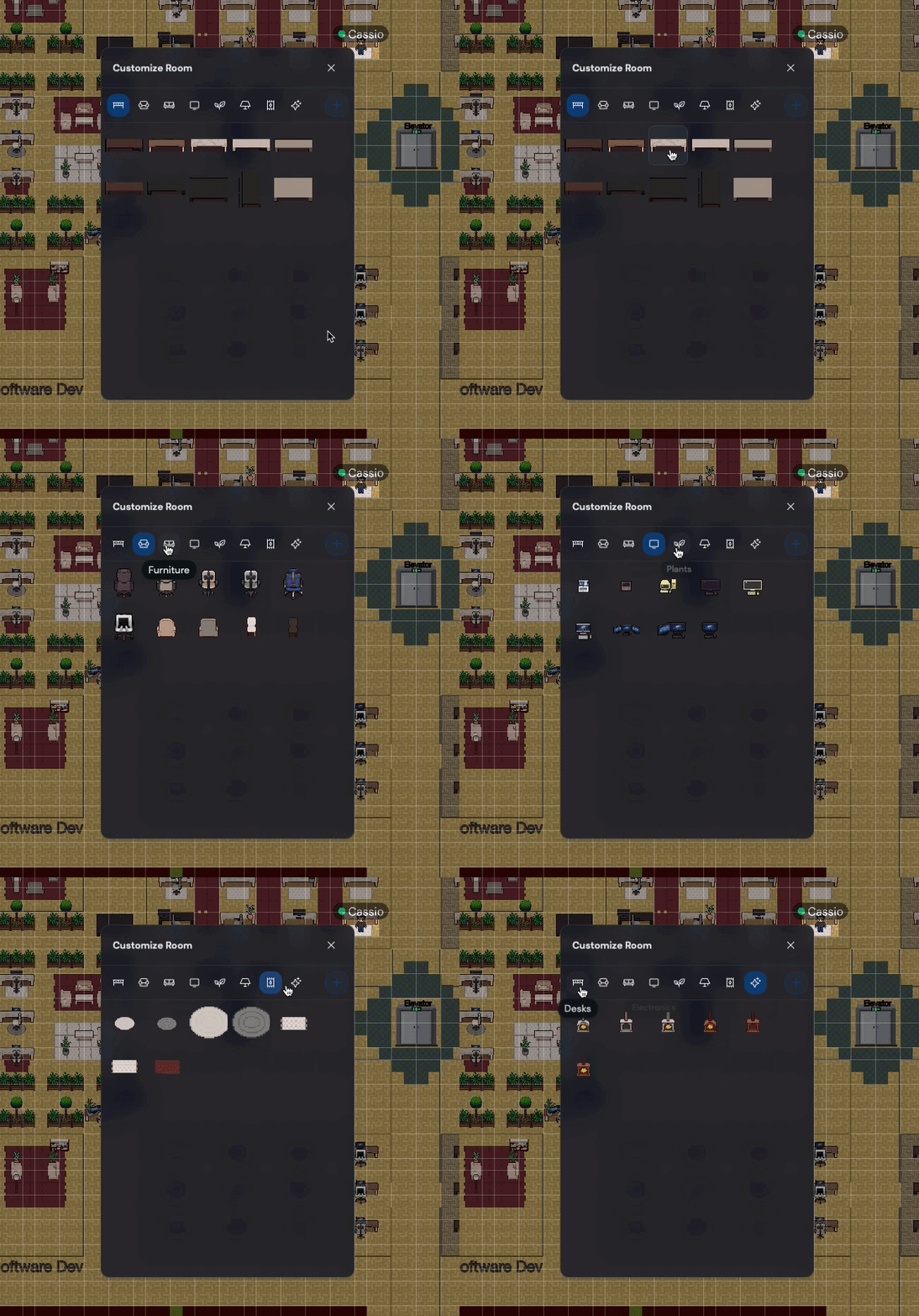
Browsing categories and selecting items from the panel.
Moving, rotating, and deleting
Click any placed item to select it, then drag to move, click Rotate to turn it, or click Delete to remove it. All changes save automatically.
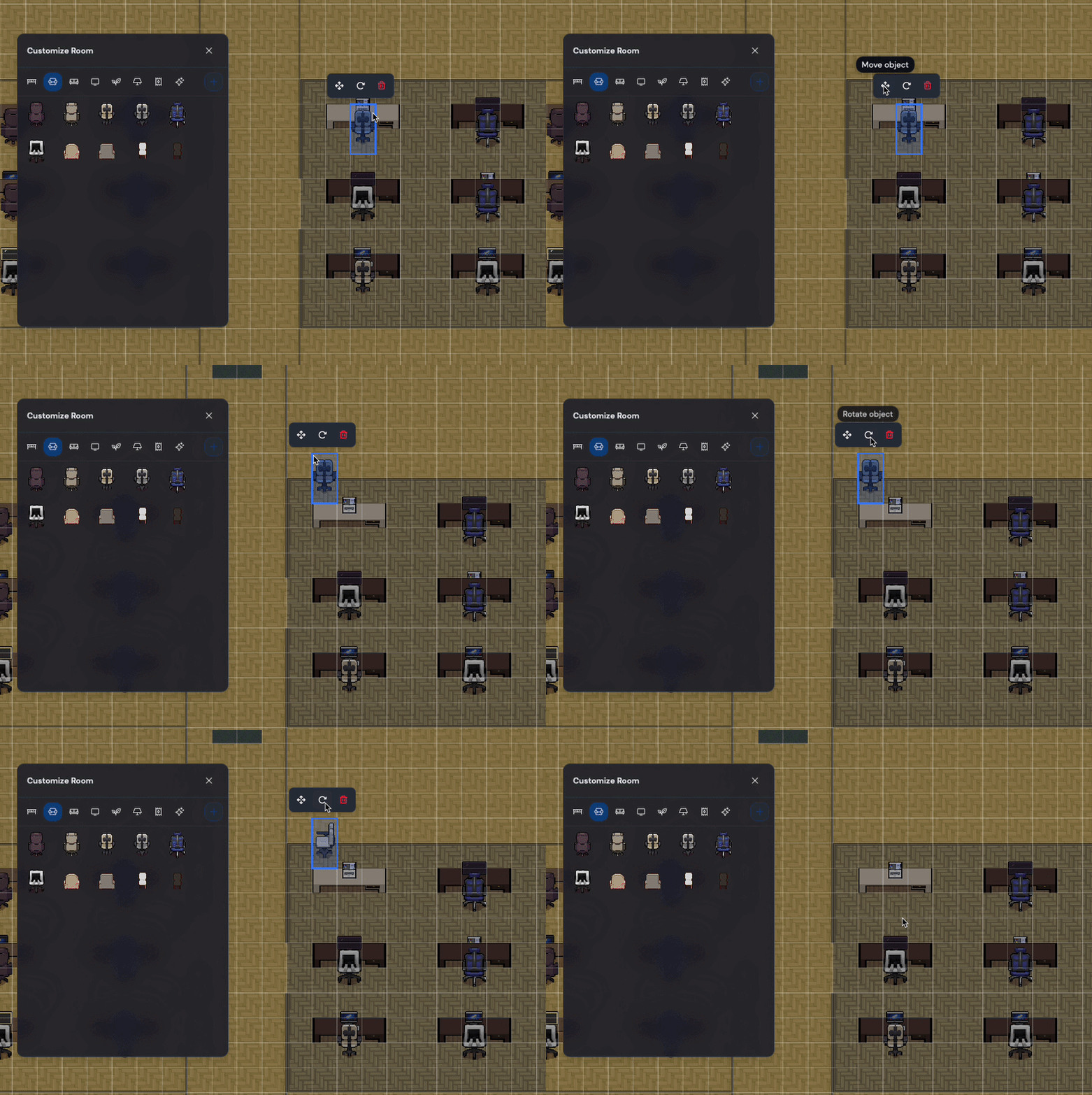
Moving, rotating, and deleting a placed item.