← What's NewMay 2026
Participants Panel
A live view of everyone active in your virtual space — with tools to find, interact with, and stay connected to your teammates without crossing the office.
Finding someone
Click Participants in the bottom navigation bar to open the panel. Use the search bar to find a colleague by name, or use Filter by mobile to show only participants connected from a mobile device.
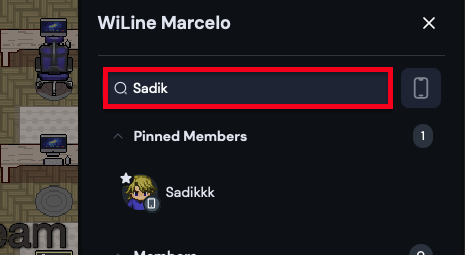
Searching for a participant from the panel.
Interacting with a participant
Click any participant to open their interaction menu:
- Wave — send a quick, non-intrusive wave to get their attention
- Pin — keep them pinned at the top of your list for faster access
- View Profile — open their profile to see their details
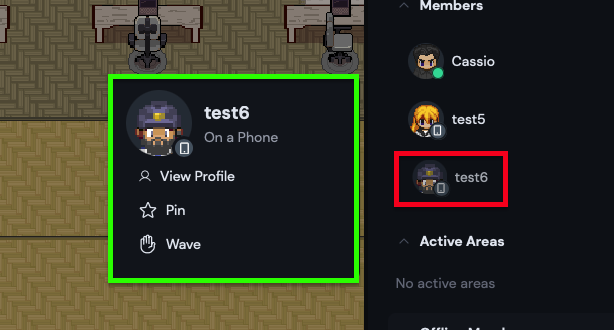
Participant interaction options — Wave, Pin, and View Profile.