← What's NewApril 2026
Meetings — Connect Portal Integration
Your meeting schedule from the Connect Portal is now accessible directly inside 2gether. See what's coming up and join with one click, right from your virtual desk.
Your schedule, always with you
Click Meetings in the bottom navigation bar to open the panel. You'll see upcoming meetings with date, time, and participants, plus a history of past calls.
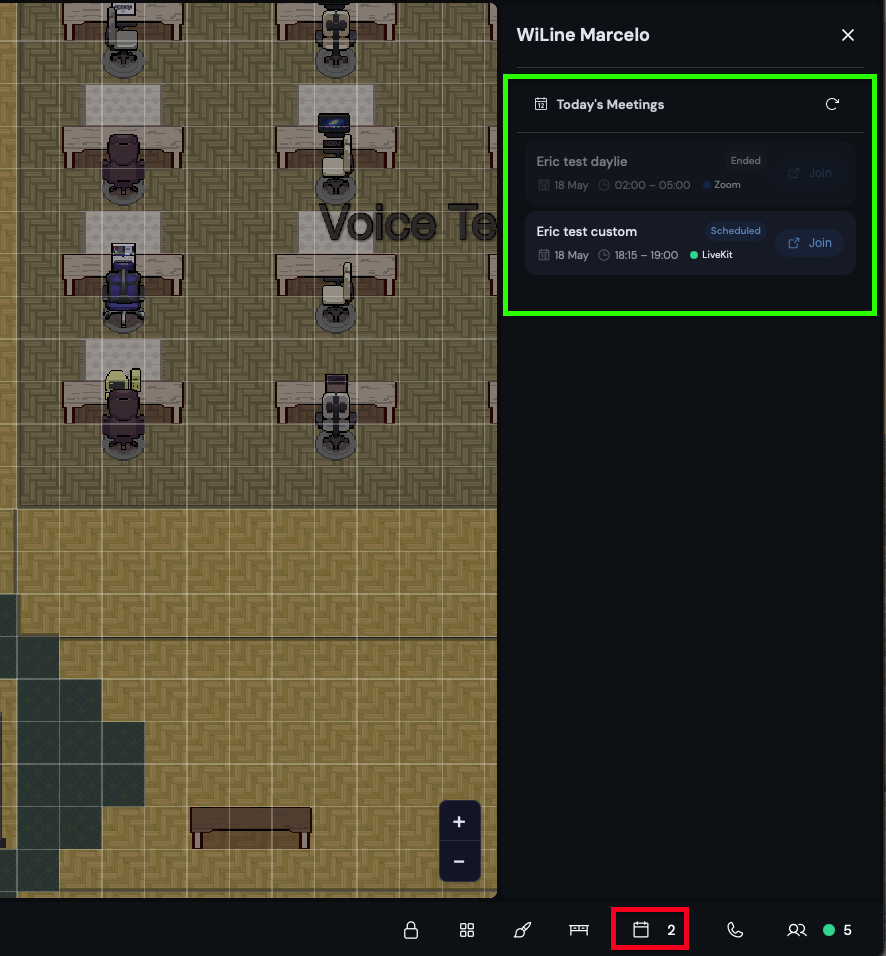
Meetings panel showing upcoming and past meetings from your Connect Portal.
Joining a meeting
Click the Join button next to any upcoming meeting. A new window opens prompting you to enable your microphone and camera. Join as a signed-in host or enter your name to join as a guest.
Meetings are synced in real time from your Connect Portal account using your WiLine LDAP credentials.