What is WiLine 2gether?
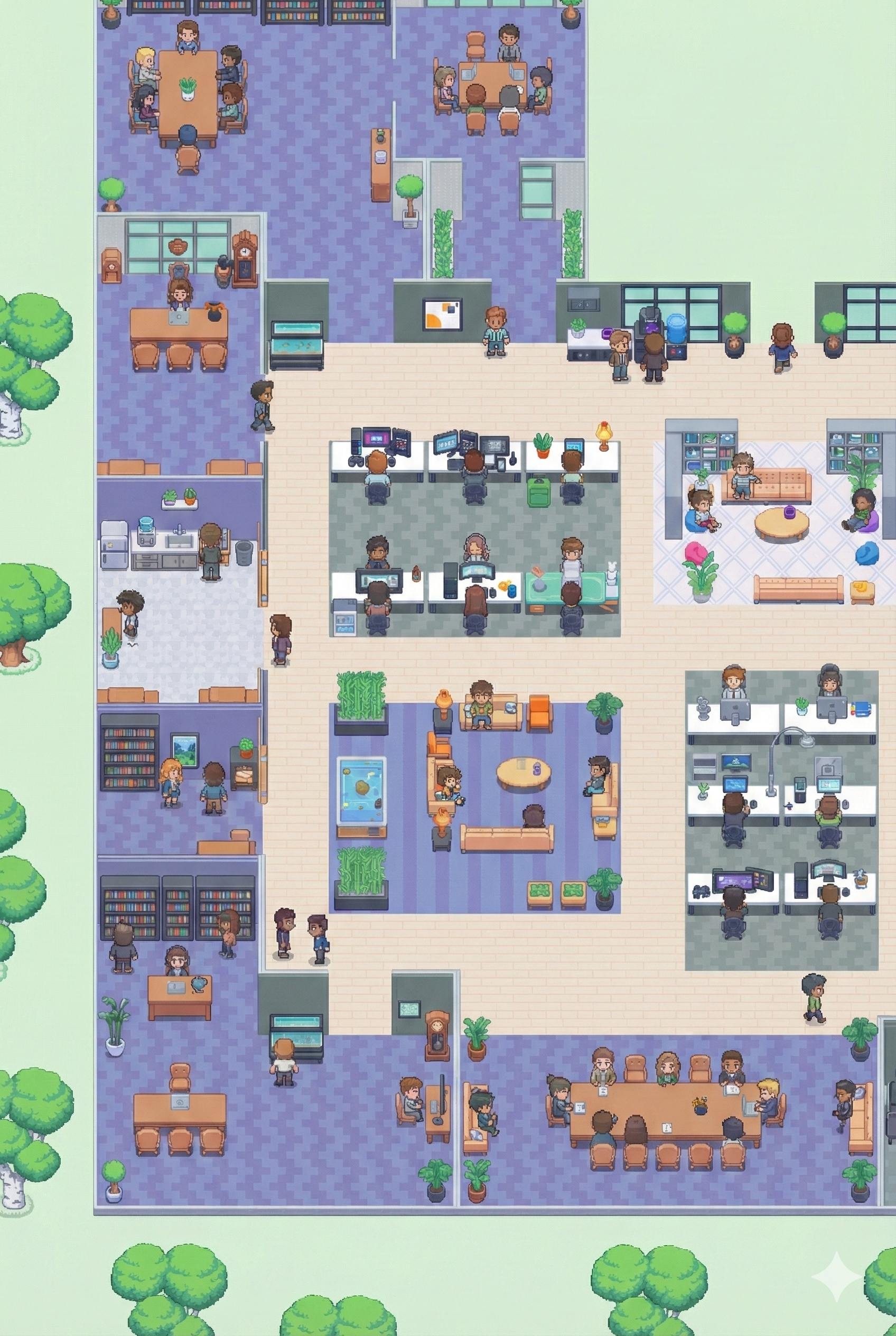
WiLine 2gether is WiLine's virtual office platform — a persistent, interactive digital workspace where remote teams move, talk, and collaborate as if they were in the same building.
Unlike video call tools that require scheduling, 2gether keeps your team always present. Walk up to a colleague's desk, join a room, or drop into a conversation — all through proximity-based audio that starts automatically when avatars are near each other.
83Avatar skins
LiveProximity audio
LDAPSecure login
AdminWiLine 2gether Analytics
Key Features
What makes 2gether different
Proximity-Based AudioConversations start automatically when avatars move near each other — no dial-in required. Distance controls volume, just like a real office.
Intuitive NavigationMove between desks, meeting rooms, and collaboration zones without menus. The layout mirrors how your team actually works.
Secure by DesignAccess is controlled via role-based permissions. Customers log in with Megaphone credentials; WiLine users authenticate with WiLine credentials. All data stays on WiLine's private infrastructure.
Lightweight & FastOptimized for standard devices — no heavy downloads, no performance overhead. Works in your browser.
Team SpacesPersistent rooms organized around team structures — always there when your team needs them.
Admin AnalyticsAdmins get full WiLine 2gether Analytics — meetings, duration, peak users, and more, filterable by space and time range.
Typical Use Cases
How teams use 2gether
Quick check-ins without scheduling a meeting
Shift handovers and team stand-ups
Persistent team rooms for ongoing projects
Spontaneous conversations, just like the office
Technical Requirements
- Browser: Chrome, Firefox, or Edge (latest version recommended)
- Hardware: Webcam, microphone, and headphones for full experience
- Network: Stable internet connection
- Login: Use your existing Megaphone account credentials, or sign up directly — WiLine users log in with their WiLine credentials.
2gether: Where remote teams work together, naturally.